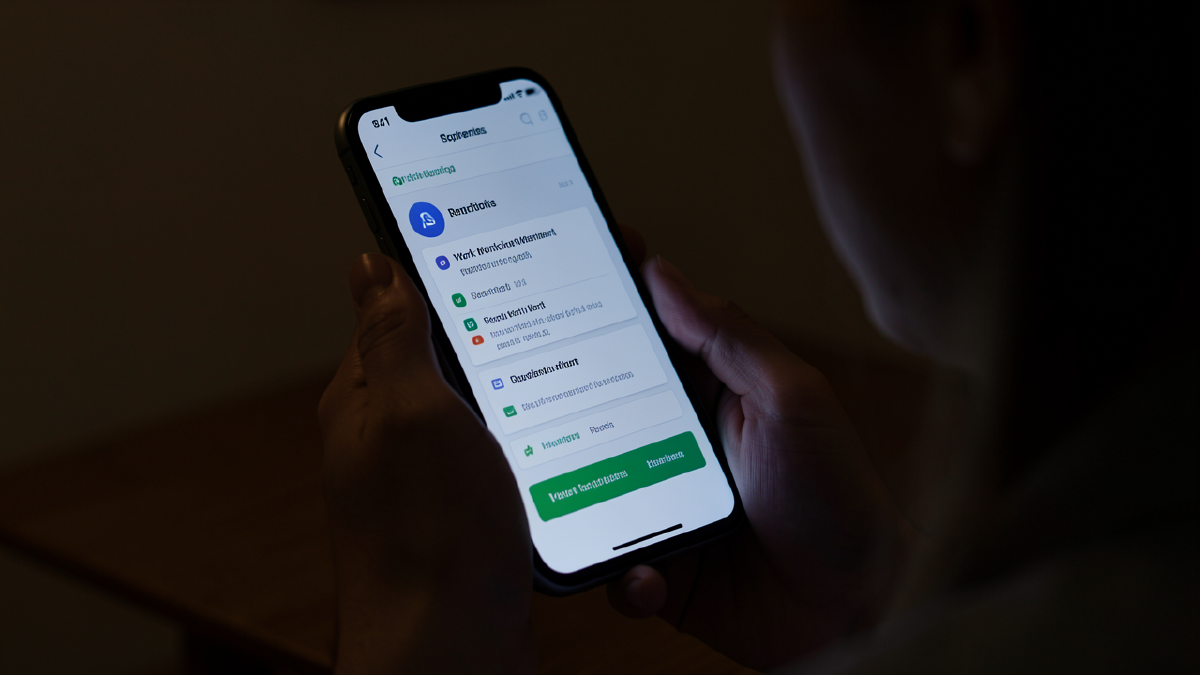
The Self-Service Imperative#
Work requirements assume members can navigate complex administrative processes independently. Check compliance status. Submit work hour verification. Apply for exemptions. Upload documentation. Track deadlines. Respond to notices. Appeal denials. The administrative burden is substantial even for people with strong digital literacy, stable housing, reliable technology access, and neurotypical cognitive function.
For the 18.5 million expansion adults subject to work requirements, these assumptions often fail. Someone with serious mental illness experiences executive function impairment during episodes. Someone experiencing homelessness lacks stable device access. Someone with limited English proficiency cannot comprehend English-only interfaces. Someone in rural areas lacks broadband. Someone with visual impairment cannot navigate interfaces designed for sighted users. Someone fleeing domestic violence cannot safely use shared devices.
Self-service systems must accommodate this diversity rather than assuming typical users with typical access. This article maps the self-service capabilities required across all populations, including multilingual and multimodal requirements enabling access regardless of language, technology, disability, circumstance, or capacity.
Part I: Core Self-Service Portal Capabilities#
Real-Time Compliance Dashboard#
Primary function: Members need immediate visibility into compliance status without calling helplines or visiting offices. The dashboard becomes the truth source, always current, accessible 24/7.
Essential displays:
- Current month hours verified (running total updated as submissions process)
- Days remaining in current month (countdown creating urgency awareness)
- Hours needed to reach 80-hour threshold (gap calculation)
- Activity breakdown by source (employment, education, volunteering, etc.)
- Recent submissions with processing status (pending, approved, rejected)
- Upcoming deadlines (current month, exemption renewals, redetermination)
- Exemption status and expiration dates
Visual design principles:
- Progress bars showing completion percentage (visual comprehension over numerical)
- Color coding: green (on track), yellow (at risk), red (non-compliant)
- Large numbers and icons reducing text dependency
- Mobile-first responsive design (more members use phones than computers)
- High contrast mode for visual impairment
- Simple layout avoiding cognitive overload
Update frequency: Dashboard should reflect real-time data, not daily batches. When employer submits verification, member sees it within minutes. This immediate feedback confirms submission success and enables early error detection.
Work Hour Submission Interface#
Self-reporting capabilities: Members submit hours for activities lacking third-party verification: gig economy work, self-employment, job search, informal caregiving, cash economy employment.
Submission workflow:
- Select activity type from dropdown (pre-defined categories matching state rules)
- Enter hours worked (numerical input with validation)
- Enter date range (calendar picker)
- Add description (text field, optional but recommended)
- Upload supporting evidence if available (photo capture or file upload)
- Review and submit (confirmation screen before final submission)
- Receive confirmation number (immediate verification of receipt)
Smart forms:
- Pre-population from previous submissions (reducing repeated data entry)
- Calculation helpers (weekly hours x weeks = monthly hours)
- Example descriptions showing what information to include
- Character limits preventing novella submissions
- Required field indicators
- Real-time validation catching errors before submission
Photo documentation: Mobile camera integration enables document capture without scanners or computers. Members photograph paystubs, employer letters, volunteer logs, client testimonials. App automatically enhances image quality, crops to document, and converts to PDF format.
Batch submission: Members working multiple jobs can enter all employment in single session rather than separate submissions per employer. “Add another job” button duplicates entry form with pre-filled employer information from previous submissions.
Exemption Application Interface#
Exemption screening questionnaire: Before starting formal application, interactive questionnaire helps members identify potentially applicable exemptions. Questions in plain language with yes/no answers route to appropriate exemption categories.
Examples:
- “Do you have medical conditions making it hard to work 80 hours monthly?” → Medical exemption path
- “Do you care for young children or disabled family members?” → Caregiver exemption path
- “Are you currently enrolled in school or training?” → Student exemption path
- “Are you experiencing domestic violence or safety concerns?” → Confidentiality exemption path
Guided application process: Step-by-step wizard breaks complex applications into manageable chunks. Progress indicator shows completion percentage. Save-and-resume functionality allows members to start, pause, and return later without losing information.
Document checklist: Application displays what documents are needed before starting. Members can gather everything required before beginning rather than discovering mid-application that they lack necessary documentation.
Upload requirements:
- Multiple file format support (PDF, JPEG, PNG, HEIC from iPhones)
- File size limits clearly stated (preventing upload failures)
- Document labeling (members tag uploads by type for reviewer clarity)
- Batch upload (multiple documents in single action)
- Mobile camera integration (capture and upload in one step)
Application status tracking: Members see exemption status in real-time:
- Submitted: Application received, pending review
- Under review: Assigned to reviewer, in process
- Additional information needed: Notification of missing documentation
- Approved: Exemption granted with effective dates
- Denied: With explanation and appeal rights
- Appealed: Appeal under consideration
Redetermination Self-Service#
Pre-populated renewal forms: System pulls known information from current records: name, address (last known), income sources, household composition. Members verify accuracy rather than re-entering everything.
Change reporting: Simple interface for reporting changes:
- New address (address validation with USPS integration)
- Income changes (new job, job loss, hours change, wage increase)
- Household changes (births, deaths, moves in/out)
- Contact information updates (new phone, email)
Document submission for renewal: Similar to exemption applications but focused on income verification, identity confirmation, and eligibility documentation. Pre-populated checklists show what’s required based on current circumstances.
Renewal deadline tracking: Prominent countdown on dashboard. Automated reminders starting 60 days before renewal. Escalating urgency in messaging as deadline approaches.
Communication Center#
Message inbox: Secure messaging between members and caseworkers/navigators. Members ask questions, provide additional information, respond to requests without phone calls or office visits.
Notification preferences: Members select how they receive alerts:
- Text messages (for immediate urgent notices)
- Email (for detailed information and documentation)
- Push notifications (if mobile app installed)
- Phone calls (for members preferring voice contact)
- Mail (for members without reliable digital access)
Communication history: Searchable archive of all correspondence. Members can review past notices, reminder messages, and caseworker communications. This helps people with memory challenges who can’t recall verbal conversations.
Part II: Multimodal Access Channels#
Mobile Application#
Native app advantages:
- Push notifications (immediate alerts even when app closed)
- Camera integration (document capture optimized for mobile)
- Offline capability (view status, prepare submissions when connectivity unavailable)
- Biometric authentication (fingerprint/face unlock faster than passwords)
- GPS integration (location-based resource finding)
- Persistent login (no repeated authentication)
App-specific features:
- Barcode scanning for rapid document identification
- Voice-to-text for members with typing difficulty
- Quick actions from home screen (one-tap hour submission)
- Widget showing current compliance status without opening app
- Auto-update ensuring latest functionality
Platform requirements:
- iOS 14+ and Android 8+ support (covering 95%+ of devices)
- Works on older devices (not requiring latest phones)
- Small download size (under 50MB for limited data plans)
- Low battery consumption
- Minimal permissions requested (only what’s essential)
Web Portal#
Browser-based access: Full functionality available through any web browser. No app installation required. Accessible from public computers (libraries, community centers).
Responsive design: Interface adapts to screen size. Same functionality on desktop, tablet, and mobile browser. Touch and keyboard/mouse input both supported.
Accessibility compliance:
- WCAG 2.1 Level AA standards met
- Screen reader compatible (VoiceOver, TALKBACK, JAWS)
- Keyboard navigation (no mouse required)
- Adjustable text size without breaking layout
- High contrast mode
- Focus indicators for tab navigation
- Alt text for all images
- Semantic HTML for proper structure
Cross-browser support: Works on Chrome, Safari, Firefox, Edge, and older browsers (IE11 where still necessary). Progressive enhancement ensures basic functionality even on outdated browsers.
Text Message Interface#
SMS-based interaction: For members without smartphones or internet access, SMS provides lightweight alternative. Commands sent via text message trigger actions.
Example interactions:
- Text “STATUS” → Receive current hour count and compliance status
- Text “SUBMIT 40 hours restaurant work May” → Log hours with basic details
- Text “HELP” → Receive menu of available commands
- Text “CALL” → Request callback from navigator
Limitations acknowledged: SMS cannot handle complex forms or document uploads. Serves as status checking and simple submission tool, with escalation to phone or in-person for complex needs.
Bilingual SMS: System detects preferred language from initial registration and responds in that language. “ESTADO” returns Spanish status message.
Interactive Voice Response (IVR)#
Phone-based navigation: Automated phone system provides 24/7 access to status information and simple transactions. Touch-tone or voice commands navigate menus.
IVR capabilities:
- Check current compliance status (hours verified, deadline information)
- Report hours worked (automated prompt collects information)
- Request exemption information packet (mailed to address on file)
- Connect to live agent (during business hours or callback during off-hours)
- Language selection (12+ languages available)
Voice recognition: Natural language processing allows conversational interaction: “How many hours do I have verified?” rather than pressing numbers.
Accessibility: IVR provides complete alternative for people with visual impairment, digital illiteracy, or technology access barriers.
Voice Assistants#
Smart speaker integration: “Alexa, ask Medicaid how many work hours I’ve verified” or “Hey Google, check my Medicaid compliance status.”
Limited implementation: Voice assistants handle status checking and deadline information. Cannot handle sensitive transactions (PII disclosure risk with shared devices). Primarily information retrieval rather than submission.
Security considerations: Voice PIN required for accessing member-specific information. Generic information (program rules, office locations) available without authentication.
Chatbot Interface#
Conversational AI: Text-based chat interface providing guided help, answering questions, and assisting with navigation. Available within portal, app, and website.
Chatbot capabilities:
- Answer common questions (“How many hours do I need monthly?”)
- Guide through processes (“Help me apply for medical exemption”)
- Troubleshoot problems (“I uploaded documents but don’t see them”)
- Escalate to human when complexity exceeds AI capability
- Learn from interactions improving responses over time
Personality and tone: Conversational without being overly casual. Empathetic without being condescending. Clear and direct. Never blames user for confusion.
Multilingual: Chatbot operates in 20+ languages. Language detection from first message, or explicit language selection.
Part III: Multilingual Capabilities#
Threshold Language Translation#
Federal LEP guidance: Services must be provided in languages spoken by 5% or more of eligible population, or 1,000 people, whichever is less.
Common threshold languages: Spanish, Chinese (Mandarin and Cantonese), Vietnamese, Korean, Tagalog, Russian, Arabic, Haitian Creole, Portuguese, Polish, Japanese, French.
Professional human translation: Machine translation insufficient for official communications. All portal content, forms, notices, and instructions professionally translated. Cultural adaptation beyond literal translation.
Consistent terminology: Glossary maintains consistent translation of technical terms. “Qualifying activity” always translates identically across all materials.
Beyond Threshold Languages#
200+ language telephonic interpretation: Live interpreters available by phone for any language. Three-way calls connect member, caseworker, and interpreter.
Video remote interpretation: For signed languages and languages requiring visual context. Interpreter appears on screen during video calls.
Cultural Adaptation#
More than translation: Interfaces adapted for cultural context. Date formats (MM/DD/YYYY vs. DD/MM/YYYY). Currency symbols. Units of measurement. Cultural assumptions about family structure, employment patterns, and help-seeking behavior.
Visual elements: Images and examples reflecting cultural diversity. Forms don’t assume nuclear family structures. Examples include varied employment types common in different cultural communities.
Language selection persistence:**#
Member’s language preference stored and applied consistently. Selecting Spanish once means all future communications arrive in Spanish without repeated selection.
Part IV: Population-Specific Self-Service Accommodations#
For Limited English Proficiency Populations#
Language selection prominence: Language choice appears immediately on every page. Not buried in settings. Clear flag icons for visual identification.
Simplified language mode: Even within English, simplified version using plain language at 5th-grade reading level. Shorter sentences, common words, concrete examples.
Visual instructions: Screenshots, videos, and pictographic guides supplementing text. Universal symbols for common actions (upload = arrow pointing up, deadline = calendar with clock).
In-language help: Bilingual navigators available for phone and chat support. Video tutorials in threshold languages.
For Cognitive Disabilities and Intellectual Disabilities#
Simplified interface mode: Stripped-down interface removing non-essential elements. One task per screen. Large buttons with clear labels. Minimal text.
Progress saving: Automatic save every 30 seconds. Members can close app/browser without losing work. Resume exactly where they left off even weeks later.
Task breakdown: Complex processes split into multiple simple steps. “Complete exemption application” becomes “Step 1 of 5: Enter your name.”
Voice guidance: Optional audio reading every prompt and instruction. Helpful for people with reading difficulties.
Confirmation screens: “You’re about to submit hours for May. Does this look right?” with clear Yes/No buttons. Prevents accidental submission.
External helpers: Interface designed for supported decision-making. Guardians, family members, or case managers can assist without creating confusion.
For Visual Impairment#
Screen reader optimization: All content properly structured with semantic HTML. Images have descriptive alt text. Form labels properly associated. Buttons clearly identified.
Keyboard navigation: Complete functionality available without mouse. Tab order logical and efficient. Skip navigation links bypassing repetitive content. Focus indicators clearly visible.
High contrast themes: Black on white, white on black, or yellow on black options. User-selectable without affecting functionality.
Resizable text: Text scales to 200% without breaking layout. No information loss when zoomed. Responsive design adapts.
Audio feedback: Success sounds for completed actions. Error sounds for problems. Confirmation tones for submissions.
For Hearing Impairment#
Visual notifications: All audio alerts also displayed visually. Flashing indicators, pop-up banners, or screen overlays.
Video captions: Instructional videos include accurate captions. Auto-generated captions reviewed and corrected.
Text-based communication preference: Members can specify communication preference avoiding phone calls. Text, email, or in-app messaging as alternatives.
For Physical Disabilities#
Motor impairment accommodations: Large click targets (minimum 44x44 pixels). Spacing preventing accidental clicks. No time limits on forms.
Alternative input methods: Voice control, switch access, head pointer compatibility. Interface designed for adaptive technology.
No precision required: Generous tolerance for imprecise clicks or touches. Forgiving interfaces that don’t penalize motor control challenges.
For Serious Mental Illness#
Crisis-aware design: Interface assumes member may be in psychiatric distress. Simple, calm, non-judgmental tone. No bright flashing elements triggering anxiety.
Simplified decision-making: Limited choices per screen. Clear default options. “I don’t know” or “Help me decide” choices available.
Saved progress with long timeout: Sessions don’t expire after 15 minutes. Member can leave and return hours later without losing work. Particularly important during episodes when extended breaks necessary.
Emergency contact prominence: Crisis hotline numbers visible on every page. One-click access to crisis support.
Peer navigator integration: Easy connection to peer specialists with lived mental illness experience. Chat or phone options for peer support.
For Substance Use Disorder Populations#
Privacy protection: Clear explanation of 42 CFR Part 2 confidentiality protections. SUD information treated with enhanced security.
Treatment hour tracking: Simplified submission for treatment participation. Treatment program enrollment automatically reports hours.
Relapse accommodation: Interface explains that relapse doesn’t mean permanent failure. Clear path to exemption reinstatement during renewed treatment.
Recovery resource integration: Meeting finders for mutual aid. Recovery coach connection. Treatment program search.
For Homeless Populations#
Alternative address options: Shelter address, general delivery, “care of” community organization all acceptable. No requirement for street address.
Email-independent access: Portal login possible without email account. Phone number authentication or case number access.
Public device accommodations: No persistent login on public computers (security risk). But session resume via code sent to phone enabling completion across multiple public computer sessions.
Kiosk compatibility: Interface works on locked-down public kiosks with limited functionality. Large buttons, simple navigation, printable confirmations.
Document photography from any device: Members can photograph documents on any smartphone and access from any computer. Upload queue synced across devices.
For Domestic Violence Survivors#
Privacy mode: Confidential record access requiring additional authentication. Location-revealing information hidden from standard view.
Safe exit button: Prominent button instantly closing browser and clearing history. Redirects to weather website.
No location tracking: GPS and location services never required. IP logging explained with opt-out.
Incognito guidance: Instructions for using private browsing mode. Explanation of device fingerprinting and cache clearing.
Alternative contact methods: All contact through caseworker rather than direct. No caller ID on outbound calls. Email through secure message system rather than standard email.
For Justice-Involved Populations#
ID recovery support: Interface helps members without photo ID. Temporary authentication through case worker verification. Paths to obtaining foundational documents.
Reentry program integration: Automatic 90-day post-release exemption. Parole/probation officer verification integration.
Low-literacy accommodations: Many justice-involved individuals have reading difficulties. Video tutorials, audio guidance, simplified language all standard features.
Second-chance messaging: Non-judgmental tone. “Fresh start” framing. No assumptions about criminal history.
For Veterans#
VA integration: Single sign-on with VA credentials. VA disability rating pulled automatically. IHS integration for Native veterans.
Military-friendly language: References to “service-connected conditions” and “active duty” familiar to veteran population.
Veteran service organization connections: Links to VSO support. Navigator connections to veteran-specific case managers.
For LGBTQ+ Populations#
Chosen name support: Members can specify preferred name separate from legal name. Interface uses preferred name throughout.
Gender-inclusive design: No assumptions about gender from names. Forms offer expanded gender options beyond binary. Pronouns respected.
Safe space messaging: Explicit anti-discrimination statements. Links to LGBTQ+ specific services and support.
Confidentiality for hostile environments: Enhanced privacy for members in environments hostile to LGBTQ+ identity. Similar to DV protections.
For Tribal Populations#
Tribal enrollment verification: Integration with tribal enrollment systems. IHS eligibility confirmation.
Tribal sovereignty respect: Acknowledgment of tribal government authority. Integration with tribal programs.
Geographic accommodation: Automatic recognition of reservation addresses for geographic isolation exemption.
Cultural appropriateness: Consultation with tribal communities on interface design and communication approaches.
For Immigrant and Refugee Populations#
Immigration firewall prominence: Clear, repeated assurances that work requirement information not shared with immigration enforcement.
No immigration status required: Forms never ask immigration status of family members. Household composition questions don’t require citizenship disclosure.
Refugee-specific support: First-year automatic exemption. Connection to resettlement services. Language support in refugee community languages.
Cultural broker integration: Connection to community organizations trusted within immigrant communities. Intermediary submission options.
For Foster Care Alumni#
Youth-friendly interface: Design appropriate for 18-24 age group. Modern aesthetic, intuitive navigation, mobile-first.
Transition support emphasis: Automatic exemption during transition period. Connection to independent living programs. Educational enrollment pathways.
No family documentation required: State verification of foster care status sufficient. Don’t require parents or guardians to provide documents.
For Complex Medical Conditions#
Treatment hour tracking: Dialysis, chemotherapy, physical therapy automatically counted toward requirements. Integration with treatment providers for hour verification.
Appointment management: Medical appointment calendar integrated with compliance tracking. Treatment schedules visible to avoid conflicts.
Provider attestation facilitation: Interface helps members request exemption documentation from providers. Templates for provider communication.
For Rural and Geographically Isolated Populations#
Low-bandwidth optimization: Portal functions on slow internet. Images compressed. Large file requirements split into smaller uploads. Progressive loading.
Offline capability: Mobile app allows viewing status and preparing submissions offline. Auto-syncs when connectivity available.
Alternative submission methods: Phone and mail options prominently featured for populations with limited internet access.
Transportation barrier recognition: No requirement for in-person visits. Entire process manageable remotely.
Part V: Intelligent Assistance and Automation#
Proactive Notification System#
Risk-based alerts: System monitors compliance trajectory and sends escalating notifications:
- Early warning (Day 10 of month, at 25 hours): “You’re on track, keep going!”
- Pace alert (Day 15, at 30 hours): “You need 50 more hours in the next 15 days”
- Urgent alert (Day 20, at 40 hours): “You need 40 hours in the next 10 days. Need help?”
- Critical alert (Day 25, at 50 hours): “URGENT: 30 hours needed in 5 days. Click for options.”
Exemption expiration reminders:
- 90 days before: “Your exemption expires soon. Here’s how to renew.”
- 60 days before: “Exemption expiration approaching. Start renewal now.”
- 30 days before: “Exemption expires in 30 days. Renew today.”
- 14 days before: “URGENT: Exemption expires in 2 weeks.”
- 7 days before: “CRITICAL: Exemption expires in 7 days.”
Redetermination reminders: Similar escalating series starting 60 days before renewal deadline.
Personalized timing: System learns when members typically engage (evening vs. morning, weekday vs. weekend) and sends reminders during high-response windows.
Opportunity Matching#
Real-time resource finding: When member falls behind pace, portal displays relevant opportunities:
- Local employers with immediate openings
- Volunteer organizations needing help this week
- Training programs starting soon
- Job fairs scheduled in member’s area
Filtered by relevance:
- Geographic proximity (within transportation range)
- Schedule fit (part-time if member already works)
- Skills match (appropriate to member background)
- Immediate availability (can start within timeframe needed)
One-click application: “Interested in this opportunity? Click here to contact them.” Portal facilitates connection without requiring members to navigate multiple sites.
Smart Form Assistance#
Contextual help: Hover or tap on any field for explanation. “What is this?” links provide definitions. Examples show what information to enter.
Error prevention:
- Real-time validation catching errors before submission
- Format helpers (phone number auto-formatting, date pickers)
- Required field indicators
- Impossible value prevention (can’t enter 200 hours in one day)
Auto-completion:
- Previous submission data pre-fills forms
- Address autocomplete from partial entry
- Employer name matching from database
Suggestion engine: “Based on your previous submissions, did you work at [Employer] again this month?”
Document Processing Automation#
Intelligent upload:
- Automatic document classification (AI identifies paystubs vs. medical letters)
- OCR extraction of key information (dates, amounts, names)
- Quality checking (too blurry to read? System requests re-upload)
- Orientation correction (automatically rotates photos)
Duplicate detection: “It looks like you already uploaded this document on [date]. Is this a different document?”
Completeness checking: “Your paystub is missing the dates. Can you upload a complete paystub?”
Predictive Support#
Churn risk identification: Machine learning identifies members at high risk of coverage loss based on patterns:
- Repeated near-misses on compliance
- Late submissions every month
- Attempted portal access without completion
- Declining verification over time
Proactive navigator outreach: High-risk members receive direct navigator contact rather than waiting for crisis. “I noticed you’ve been having trouble with verification. Can I help?”
Pattern-based accommodation: System recognizes episodic conditions through repeated cycles of high and low compliance. Automatically suggests graduated requirements or episodic accommodations.
Part VI: Integration with Human Support#
Seamless Navigator Handoff#
One-click assistance request: Any page includes “Help me with this” button connecting to navigator via chat, phone, or callback request.
Context transfer: When member clicks help, navigator sees:
- What page member was on
- What they were trying to do
- Their current compliance status
- Their compliance history
- Previous navigator interactions
No repeated explanation: Member doesn’t have to explain from scratch. Navigator has context and continues from where member was stuck.
Screen sharing and co-navigation:**#
Navigator can request permission to view member’s screen, guiding them through process while respecting privacy.
Assisted submission:**#
Navigator can complete submissions on member’s behalf with verbal authorization. Member provides information, navigator enters it. Useful for members with disabilities, limited literacy, or technology challenges.
Appointment scheduling:**#
Members can request phone appointment with specific navigator. Calendar integration shows availability. Confirmation and reminder sent automatically.
Part VII: Privacy, Security, and Trust#
Authentication and Authorization#
Multi-factor authentication:
- Something you know (password, PIN)
- Something you have (phone receiving code)
- Something you are (biometric on devices that support)
Risk-based authentication: Low-risk activities (checking status) require basic login. High-risk activities (changing bank info) require additional verification.
Account recovery: Identity verification through multiple methods. Knowledge-based authentication, document verification, or in-person identity proofing at eligibility offices.
Data Security#
Encryption:
- TLS 1.3 for data in transit
- AES-256 for data at rest
- End-to-end encryption for messages
Access logging: Complete audit trail of who accessed what when. Members can review their own access log.
Privacy controls: Members control who sees what information. Can designate representatives with full or limited access.
Transparency and Control#
Data download: Members can download all information system holds about them. Full transparency about data collection.
Communication audit: Members see history of all notifications sent. Can identify if they missed messages or if messages were never sent.
Preference management: Granular control over communication frequency, channels, and types.
Part VIII: Self-Service Success Metrics#
Usage Metrics#
Adoption rates:
- What percentage of members use self-service vs. phone/in-person?
- Which features get most use?
- Which populations have higher/lower adoption?
Completion rates:
- How many members start processes and complete them?
- Where do people abandon forms?
- What causes failures?
Effectiveness Metrics#
Coverage retention:
- Do self-service users retain coverage better than phone users?
- Does proactive notification prevent non-compliance?
- Does opportunity matching lead to hour gap closure?
Efficiency gains:
- Call center volume reduction
- Case worker time freed by self-service
- Processing time improvement with digital submission
Equity Metrics#
Access gaps:
- Are certain populations underserved by digital channels?
- Do accommodations effectively serve disabled populations?
- Are multilingual features actually used?
Outcome disparities:
- Does self-service create or reduce disparities?
- Do populations with lower digital literacy have worse outcomes?
- Does reliance on technology disadvantage vulnerable groups?
Conclusion: Self-Service as Foundation, Not Replacement#
Self-service capabilities are essential infrastructure for work requirements affecting 18.5 million people. The scale demands automation, digital access, and member self-management. Without self-service, administrative burden would be insurmountable.
But self-service cannot serve everyone equally. Digital literacy varies. Technology access differs. Cognitive capacity fluctuates. Language barriers persist. Disabilities create access challenges. Circumstances prevent digital engagement.
Effective self-service systems acknowledge these realities through multimodal access providing alternatives to web portals, multilingual capabilities serving diverse populations, accommodation features enabling disabled access, intelligent assistance reducing cognitive load, human support integration for complex cases, and equity monitoring ensuring no population is systematically excluded.
The populations examined across Series 11 all require specific accommodations. Someone with serious mental illness needs crisis-aware interfaces with extended timeouts. Someone experiencing homelessness needs functionality without email or stable address. Someone with limited English proficiency needs professional translation, not just machine-translated text. Someone fleeing domestic violence needs privacy protections preventing location disclosure.
States implementing work requirements choose self-service architectures now. The choices determine whether systems enable or obstruct compliance, whether they accommodate or exclude vulnerable populations, and whether technology serves as tool enabling success or barrier causing failure.
December 2026 approaches. Self-service systems will be the primary interface for millions of expansion adults. The quality, accessibility, and inclusivity of these systems will fundamentally determine whether work requirements operate as intended or produce the administrative coverage losses Arkansas experienced in 2018.